Turn comments into customers
AI scans your post comments for buying intent and builds a prospect list you can act on, automatically.
People tell you they want to buy in the comments: asking about price, availability, and how to order. Leads finds those signals across your platforms and collects them into one list so nothing slips by.
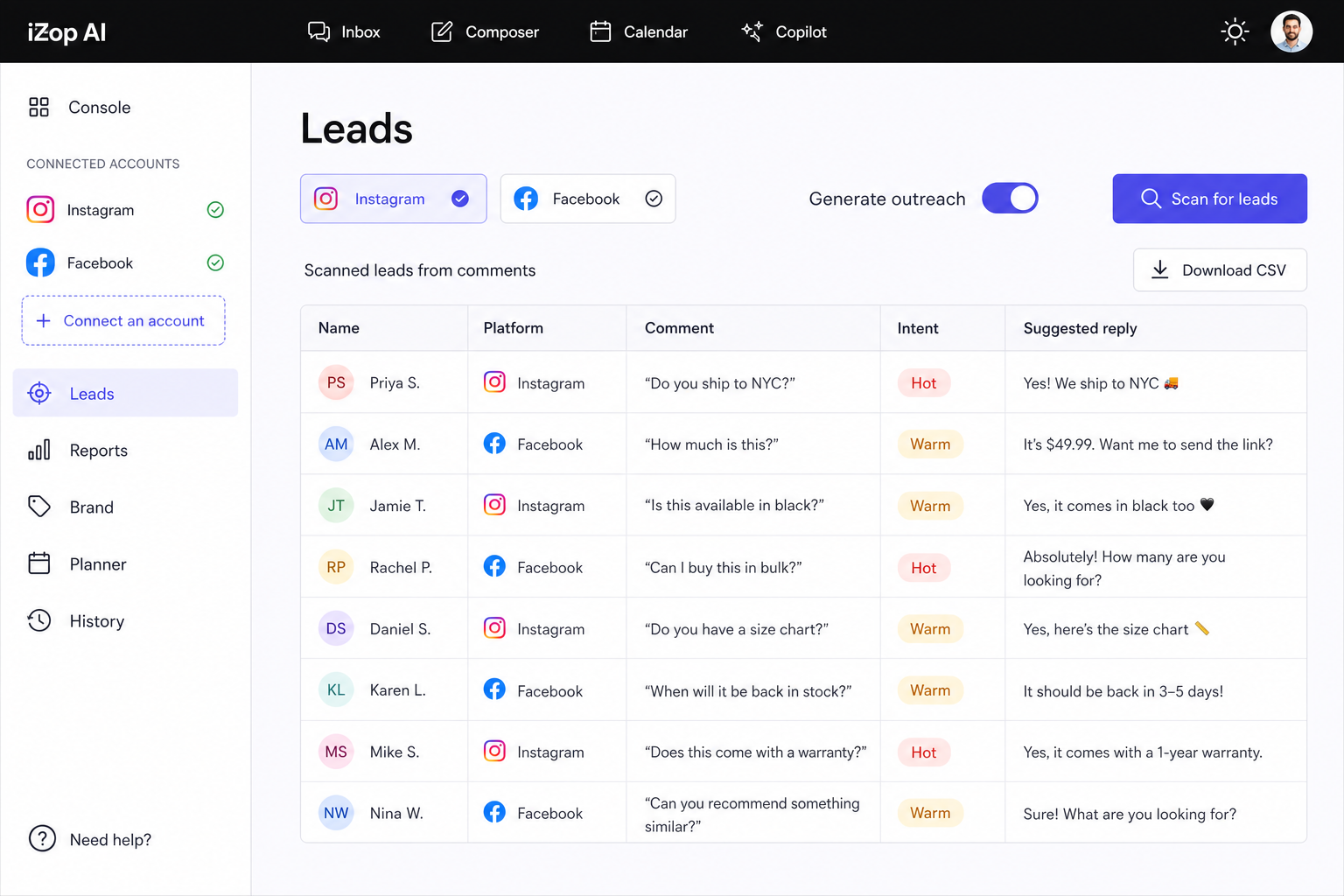
What Leads does for you
AI intent scanning
AI reads your post comments and flags the ones showing real buying intent, not just emoji reactions.
One organized list
Every flagged prospect lands in your Leads page with the comment, author, and platform attached.
CSV export
Export your leads to CSV and move them into your CRM or outreach flow.
Works from your inbox data
Leads scans the same comments your Inbox already collects, so there is nothing extra to set up.
Ask Copilot to scan
Trigger a scan from the Copilot chat: ask it to find leads and it runs the scan and shows results inline.
Rescan anytime
Run a fresh scan whenever you want an updated picture of who is showing interest.
From comment section to prospect list
Open Leads and run a scan. It analyzes the comments cached from your connected accounts, scores intent, and surfaces the people worth following up with, complete with their original comment for context.
- Intent detection across your platforms
- Author, comment, and platform on every lead
- CSV export for your CRM
- Available on Starter, Pro, and Agency plans
“iZop answers our customers before we even open in the morning.”
Dana Cohen, Bloom Cafe
Frequently asked questions
How does lead scanning work?
iZop analyzes the post comments collected in your Inbox and uses AI to flag ones showing buying intent, like questions about price, availability, or how to order. Flagged comments become leads with full context.
Which plans include Leads?
Lead scanning is included on Starter, Pro, and Agency plans. All roles can view saved leads.
Can I export my leads?
Yes. Export the list to CSV and import it into your CRM or outreach tool.
Do I need to set anything up?
No. Leads works from the comments your connected accounts already sync. Open the Leads page or ask Copilot to scan, and results appear in one list.